What Mira does for your sales team.
Mira reads each deal, checks it against your playbook and turns the gaps it finds into next steps your sellers can act on. Your CRM stays where it is.
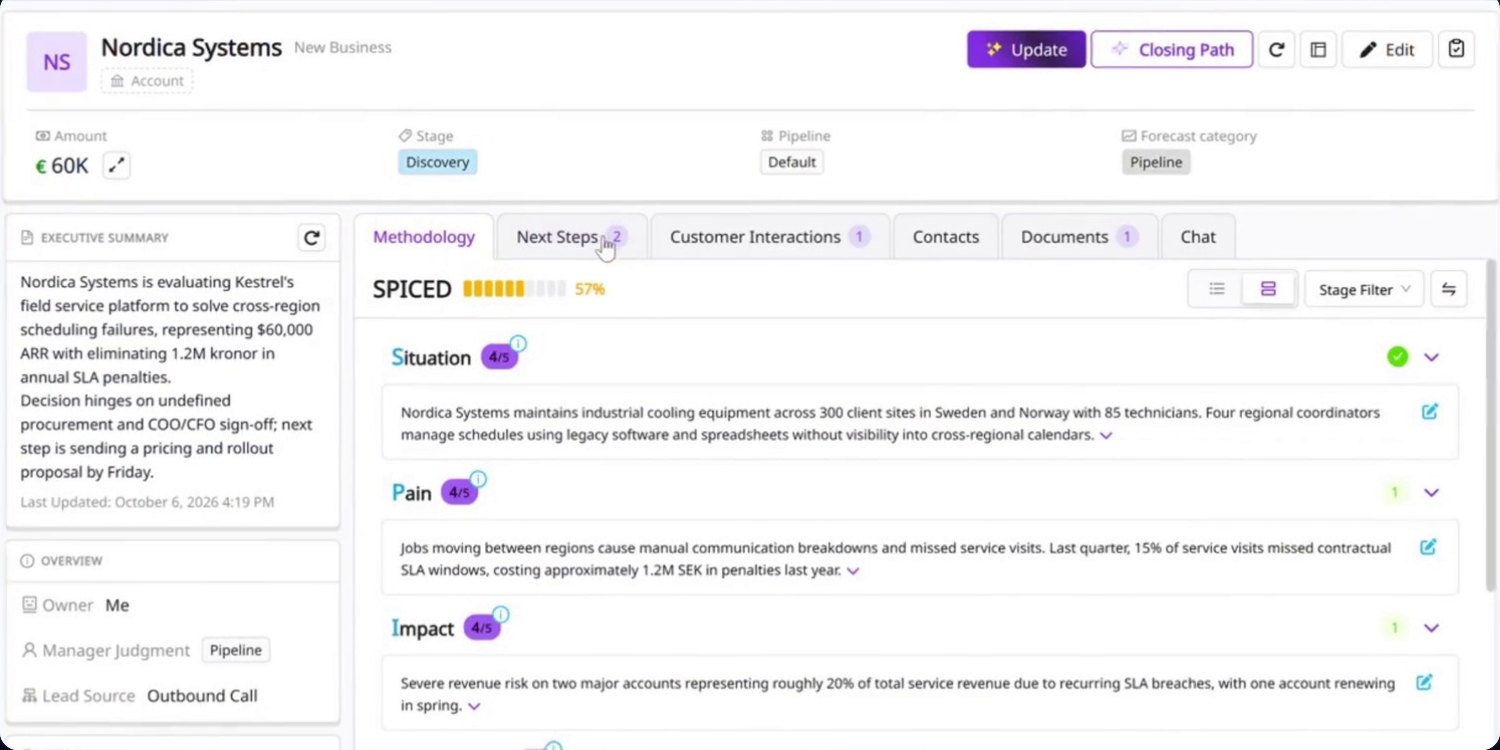
One deal, from gap to next step.
These are the screens a seller sees on a single opportunity. Each step shows what Mira found and what stays in the seller's hands.
-
01
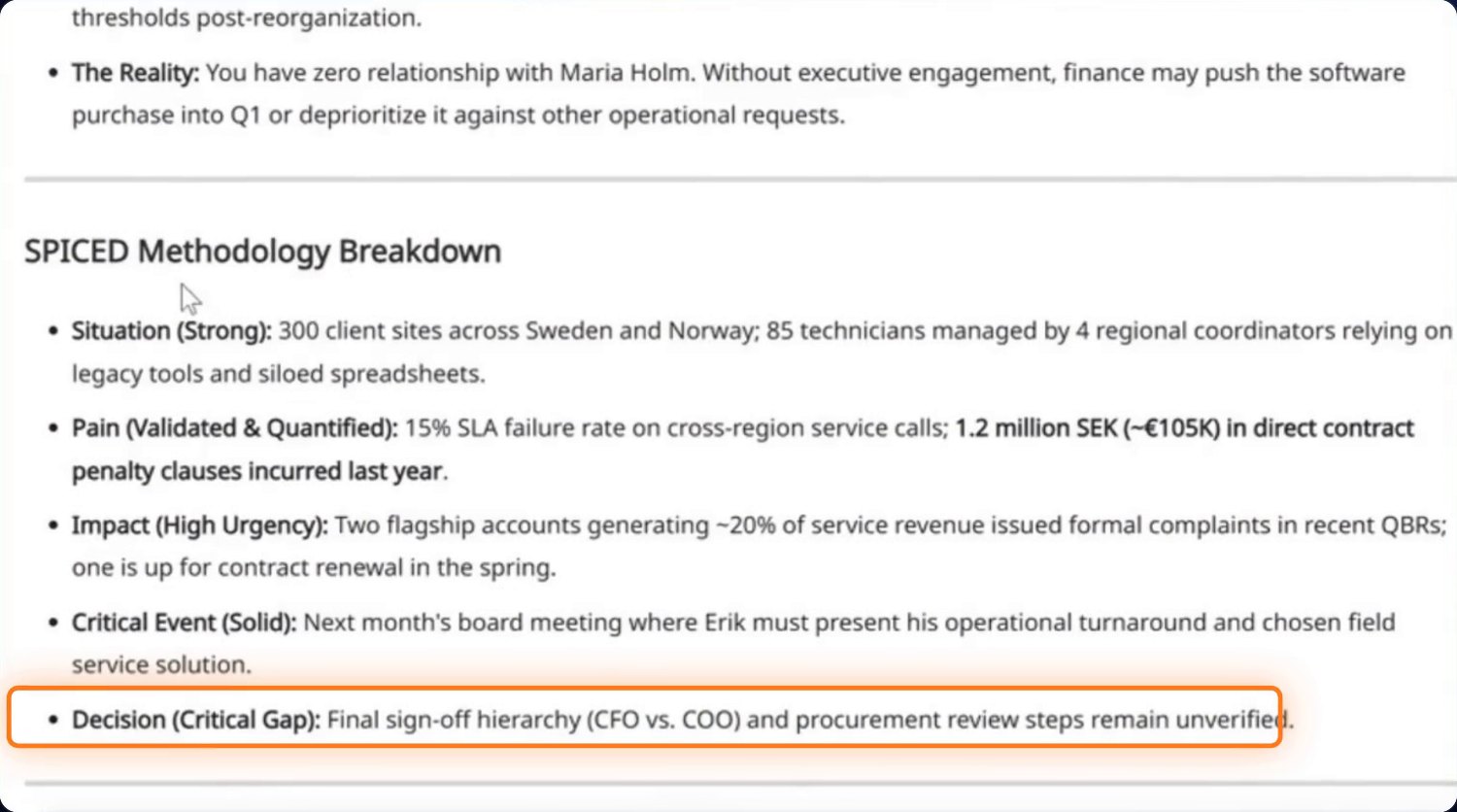
Mira finds the gap that matters
Mira reads the call transcripts, emails and notes on the deal and assesses each criterion of your playbook. Here the pain is quantified and the deadline is real, but nobody has confirmed who signs.
You decide: which gaps to work on and whether the assessment is right. Every criterion can be edited.
-
02
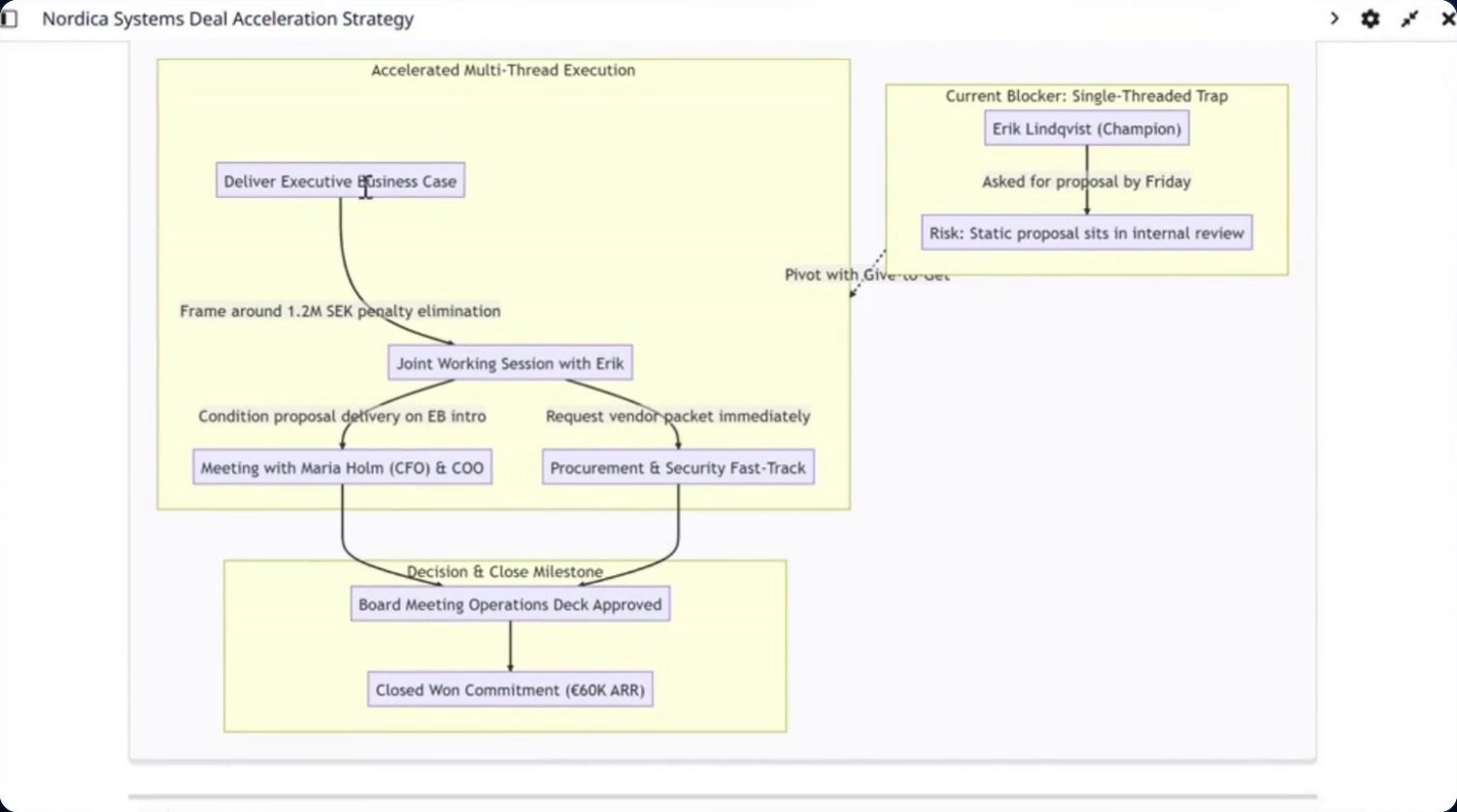
It maps the path to close
Mira lays out the people, blockers and milestones between today and a signature, so the seller can see where the deal is single-threaded and who to bring in next.
You decide: which route to take with the buyer.
-
03
And turns it into next steps
Mira proposes concrete actions with dates, drafts the follow-up email and suggests the CRM clean-up the deal needs, such as adding contacts or moving the close date.
You decide: what to send and which updates to apply. Emails stay drafts until you send them.
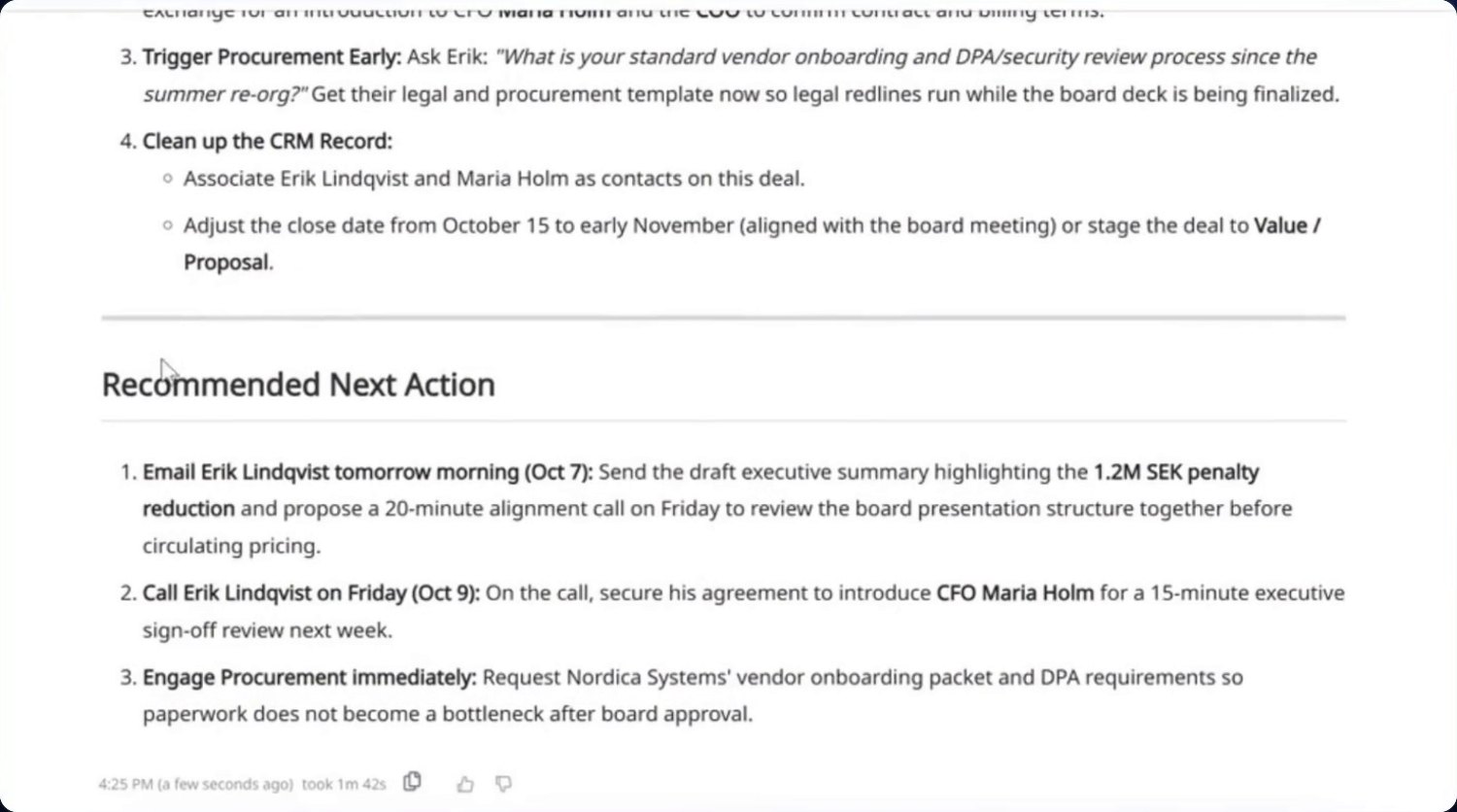
Real product screens on a demo deal. Nordica Systems and the people named are fictional.
Review deals around evidence.
The same assessment that guides sellers gives managers a shared, consistent view of every opportunity.
- See qualification gaps across the pipelineSpot which deals are missing a signer, a deadline or a quantified pain before the forecast call.
- Understand why a deal is at riskEach risk comes with the evidence behind it, so a review starts from facts rather than reconstruction.
- Coach on specificsPoint to the exact criterion and the conversation it came from when you coach a seller.
- Review the forecast with contextCommit, best case and pipeline categories sit next to the qualification evidence for each deal.
Built around how your company sells.
Mira's assessments come from your qualification criteria, stages and practices, not a generic checklist.
Works with MEDDPICC · SPICED · BANT · your own playbook
Bring your method
Use MEDDPICC, SPICED, BANT or the criteria your team already uses, in your own words.
Or start from a proposal
No written playbook yet? Mira can propose a starting point that you then adjust.
Change it as you learn
Update stages and criteria as your sales motion matures, and every deal is assessed against the new version.
Connects to what you already use.


 Salesforce, HubSpot and Pipedrive
- ValueOrbit reads accounts, contacts, deals, emails and meetings. Your admin chooses which fields and pipelines are imported, and the CRM stays your system of record.
- Calls and notes
- Add call recordings, transcripts and notes so Mira can work from what buyers actually said.
- Copy ValueOrbit on an email to log it, and the contact is created automatically.
- No CRM yet
- Teams without a CRM they trust can run accounts, contacts and deals in ValueOrbit itself.
- Other tools
- Using Gong, Zoom, Teams, Slack or Outlook? Ask us what is available for your setup before you buy.
Your data, under your control.
- You choose what is readYour admin decides which CRM fields, pipelines and how much history ValueOrbit imports.
- People approve what reaches buyersEmails Mira drafts stay drafts until someone on your team sends them.
- Clear answers before you connectWe act as a data processor under a standard agreement. Ask us which AI models process your data and where, and we answer in writing. Read the data processing agreement
See Mira on a deal like yours.
Sign up and connect your CRM yourself, or book a demo and we’ll walk through a deal like yours and explain what setup would involve.